
Huss Tackle Controls
PC and mobile inputs, camera tips, and how to verify remaps.
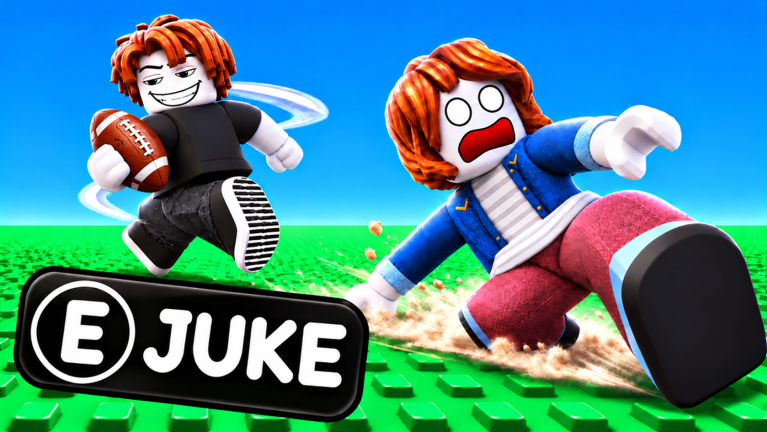
Clean inputs win chases. This Huss Tackle controls guide covers what you can safely assume from Roblox defaults and football-chase gameplay, plus how to confirm any custom binds in the live client. We will not invent undocumented key tables as absolute truth—UI labels and ability binds can shift after patches from Certified Tacklers.
Pair this page with Getting Started, then apply the feel in How to Juke and How to Tackle.
Default movement you can trust
Unless you remapped Roblox system controls:
- PC movement �?
WASDto move; mouse to look;Spacecommonly jumps where jumping is enabled. - Mobile movement �?virtual thumbstick for locomotion; drag on the right side of the screen to look.
- Shift-lock / first-person toggles �?follow your Roblox settings; many chase players prefer a locked camera for consistent juke timing.
Always open in-game settings (and Roblox escape-menu settings) after a major update to see whether Huss Tackle exposes custom keybinds for dash, tackle, taunt, or revive prompts.
Action inputs: verify in client
Football-chase experiences typically map:
- A primary action for tackle / dive / wrap attempts on defense
- A movement enhancer such as dash, burst, or sprint modifier on offense
- Taunt / emote keys once unlocked (relevant if you own +3 Taunts or VIP flair)
- UI buttons for codes, shop (Cash / Gems), and revive flows (Infinite Revives)
Because exact labels can change, use this verification routine every patch week:
- Join a low-stakes lobby from the official game page.
- Open settings and screenshot the controls panel.
- Enter a round and deliberately press each candidate key once in open space.
- Note which input starts a tackle commit versus a juke/dash flourish.
- On mobile, look for on-screen buttons near the jump/attack cluster—do not assume PC parity.
If a YouTube play session shows a different HUD, trust the live client over old footage. Cross-check patch notes vibes on the updates hub.
PC setup recommendations
- Frame pacing �?stable FPS beats max settings; juke timing is visual.
- Mouse sensitivity �?high enough to whip 180° when a tackler appears behind you, low enough to trace hips.
- Key comfort �?if tackle shares an awkward finger with strafe keys, remap when the game allows or adjust your hand position.
- Headphones �?footsteps and crowd noise help you sense trailing defenders.
Laptop trackpads are playable for casual rounds but make precise ankle breakers harder. A basic mouse is a real upgrade.
Mobile setup recommendations
- Enable performance mode if your device thermal-throttles mid-chase.
- Increase virtual joystick size if your thumb overshoots cuts.
- Consider a clip-on trigger or simply practice thumb routines so tackle buttons are not buried under emote menus.
- Play in landscape with uninterrupted network—packet loss feels like “broken�?jukes.
Mobile tacklers should practice holding contain angles with smaller camera corrections; over-dragging the look stick creates dizzy misses.
Camera habits for both platforms
- Keep the runner centered horizontally when you pursue so both sidelines stay in peripheral vision.
- On offense, glance back during straightaways—not during the juke animation itself.
- Avoid ultra-low cameras that hide distant tacklers until it is too late.
- After a big spin, re-center before the next decision.
Camera discipline is a control skill even though it is not a keybind.
Accessibility and comfort
If you get motion sick from whip pans, lower sensitivity and take shorter sessions. Roblox also offers wider system options (volume, graphics quality, and sometimes alternate movement modes depending on client version). Use them. Huss Tackle’s 30-player chaos is intense enough without fighting your hardware.
Controls that support economy UI
Learn the shop and codes buttons as carefully as tackle inputs:
- Redeem codes only through the official lobby UI.
- Confirm Cash versus Gems tabs before purchases.
- If you own 2x Cash, 2x Gems, VIP, or Infinite Revives, know which HUD indicators prove they are active so you do not double-buy.
Spending priorities live on the tier list and players pages—controls just make sure you can reach those menus quickly between rounds.
Troubleshooting “my tackle does nothing”
- You are out of range or on cooldown
- You pressed the emote/taunt key instead of the tackle action
- Mobile button is covered by another UI layer
- Network stutter delayed the commit
- A patch rebound the action—re-open settings
Do the same checklist if dashes feel absent. Never download a “controls unlocker script�? see the scripts hub for why third-party injectors are a bad answer.
Drill: input confidence in five minutes
- Stand in a quiet area of a server.
- Tap every action bind once; say aloud what happened.
- Strafe left/right while tapping tackle to feel commit turn rates.
- Practice a sell-break-go juke sequence with your actual dash/move keys.
- Open settings, confirm nothing rebound itself after a death/revive.
Repeat after each major client update. Five minutes here saves ten broken ankles—or ten missed wraps—later.
Related practice
Once inputs feel boring (that is good), push mechanical skill:
- Offense �?How to Juke
- Defense �?How to Tackle
- Progression �?Getting Started and Guides Hub
Huss Tackle rewards players who trust their thumbs. Learn the defaults, verify the customs, keep the camera calm, and let clean inputs carry you to the end zone.
Frequently Asked Questions
Quick answers to the most common questions.
What are the default Huss Tackle controls on PC?
Use standard Roblox movement with WASD and mouse look. Check in-game settings for dash, tackle, taunt, and UI binds—those can be customized or changed in patches.
How do controls work on mobile?
Move with the thumbstick and look by dragging the camera. On-screen buttons typically handle jump/actions; confirm the tackle and dash buttons in your current HUD after updates.
Can I remap keys?
If Huss Tackle or Roblox settings expose remaps, use them. Always re-check after patches instead of relying on outdated key lists from videos.
Why does my tackle input fail sometimes?
Range, cooldown, lag, wrong key, or a UI overlay are common causes. Test binds in open space and review settings before assuming a bug.
Do game passes change controls?
Passes like Infinite Revives, VIP, or +3 Taunts add features or flair; they do not replace learning movement. Know which HUD prompts they add so you can respond quickly.